Publish
Share a branded public case request link with clients or other authorized requesters.
Give clients and authorized requesters a professional public intake path, then keep the decision inside your operating workflow. Casewyze lets your agency review each case request, approve or decline it, and convert approved intake into an active case.
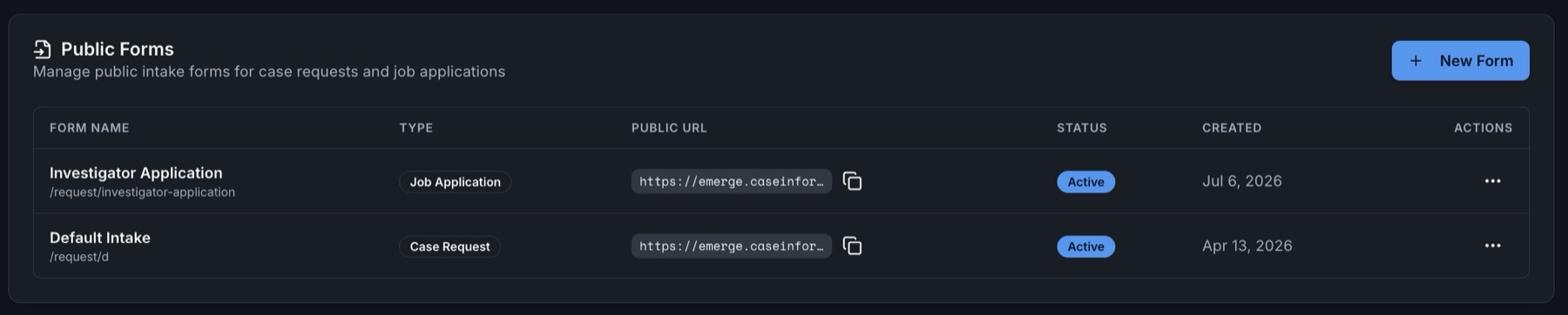
A case request separates “someone asked us to investigate” from “this is approved active work.” That distinction gives managers a controlled review point for scope, conflicts, authorization, assignment fit, and other agency-specific intake requirements.
Share a branded public case request link with clients or other authorized requesters.
Evaluate the submitted intake inside Casewyze instead of rebuilding it from an email.
Approve or decline the request according to agency policy, authority, and fit.
Turn an approved case request into a working case and continue the operational record.
Mixing unreviewed intake with active matters makes workload and acceptance decisions harder to understand. Casewyze keeps the proposed matter in a request stage until the agency decides what happens next.
Represents submitted intake that still needs an agency decision. It can be reviewed, approved, or declined before active casework begins.
Represents an investigation the agency has chosen to open, organize, assign, update, document, and manage.
Email can start a conversation, but it does not create a consistent review process. Important details may sit in a message thread, attachments may arrive separately, and the decision to accept the matter may never be recorded clearly.
A public case request gives the requester a defined intake path and gives the agency a record it can evaluate. If the request is approved, the information moves forward with the case instead of being typed again from scratch.
The exact information an agency collects depends on its clients, services, contracts, licensing, and internal policies. A useful intake process should still answer a few consistent operational questions.
A clear request stage helps clients understand where intake ends and active investigative work begins.
A case request is a proposed investigation submitted for agency review before it becomes an active case. It captures intake information while preserving an approval decision.
No. Authorized staff can review the intake and approve or decline it. Approved requests can be converted into cases.
Yes. Agencies can publish a branded public case request form so an authorized client or requester can submit intake without access to the private workspace.
A request creates a review point before the agency commits resources, accepts scope, or treats the matter as active casework.
Collect proposed work through a professional public form, review it inside Casewyze, and turn approved requests into organized cases.
Prepare reusable tasks and materials with the Resource Library, then use CW Connect to take and review recorded statements inside the case.